Manage Wi-Fi access
with AiNET Connect
Phone verification, access policies, device limits, tariff plans, and session analytics for MikroTik and RADIUS infrastructure.
Phone Verification
User verification by call and PIN
Policy Engine
Flexible allow/deny rules and limits
Live Sessions
Live monitoring of devices and traffic
Branding
Custom portal branding and UX flows
AiNET Connect for ISPs, business centers, and public Wi-Fi venues
The platform combines captive portal authentication, billing logic, and network policy. Launch secure guest Wi-Fi quickly and control every step of access.
- Centralized router and site management
- Captive portal with custom branding
- RADIUS integration and profile auto-apply
- Free-minute and speed-profile control
- Anti-fraud: device limits and phone lists
- Transparent session and activity analytics

24/7 Control
Real-time visibility into network access and behavior
Platform Features
All core hotspot operations in a single interface
Fast hotspot go-live
Connect routers, publish your portal, launch phone verification, and manage access from one panel.
- Onboard MikroTik routers and hotspot parameters.
- Define access profiles with time and device limits.
- Route users into the correct verification flow.

Policies and abuse protection
Apply centralized access controls and fraud protection across all locations.
- Per-router and per-organization policy control.
- Limits by time, speed, and number of devices.
- Allow/deny lists by prefixes and phone numbers.
- Auto-blocking on threshold breaches and suspicious activity.

Operational control and reporting
- Live dashboard of active sessions by site and router.
- Session history and device behavior insights.
- Actionable metrics for support, NOC, and management.
Get practical visibility into performance, security, and user access quality.

Captive Portal Branding
Banners, color themes, texts, and UX flows tailored to each brand and location.
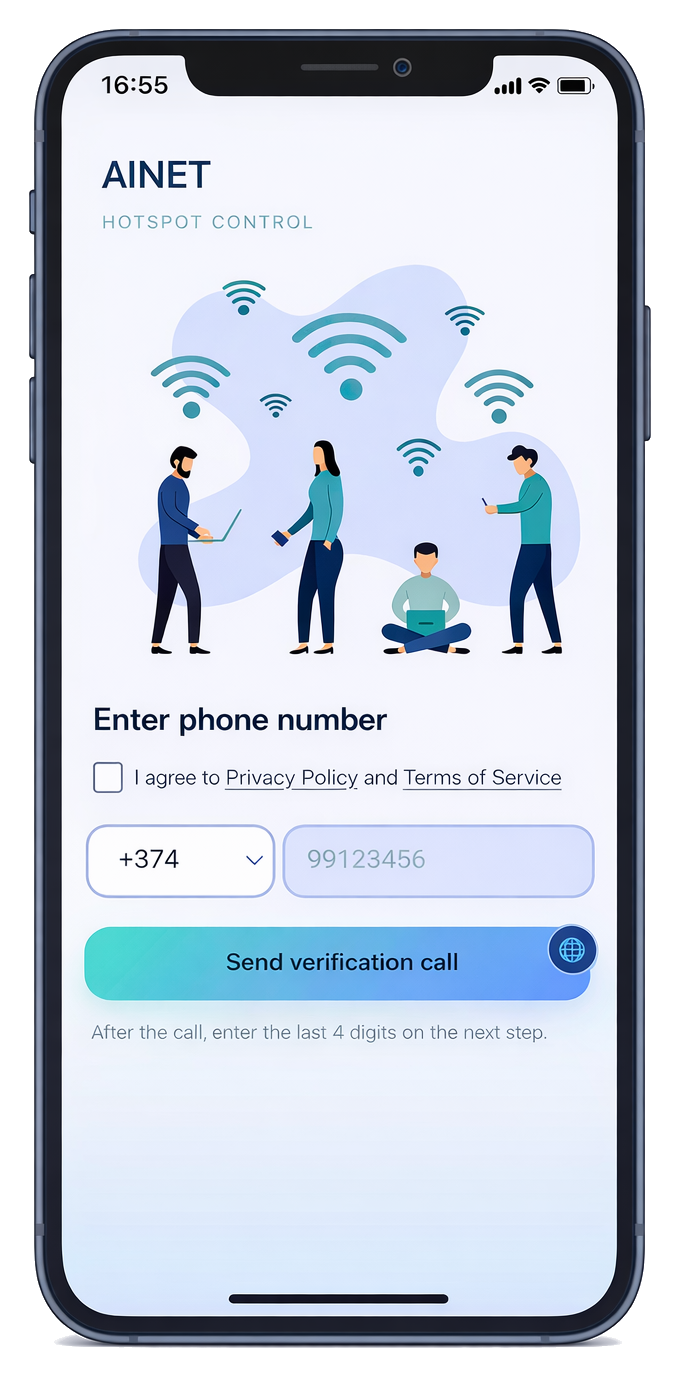
Phone Call Verification
Call-based verification with PIN to reduce abuse and fake registrations.
Tariff Plans
Predefined plans with minutes, speed tiers, and access rules.
Audit & Session Visibility
Session history, device tracking, and clear operational diagnostics.
Portal on Any Device
A unified UX for smartphones, laptops, and guest devices in captive portal mode.
Flexible UI Customization
Configure banners, colors, texts, and portal layout to match each customer brand.
Multi-language Support
Localized authorization flows for different regions and user audiences.
Reliable Backend Workflows
Stable processes for verification, policy checks, session lifecycle, and auditing.
Responsive Interface
Full desktop and mobile usability without maintaining separate frontend versions.
Network Compatibility
Works with common network stacks and existing customer infrastructure.
Ready to launch a managed hotspot?
We will help you deploy portal access, verification flow, and centralized policy across your network in weeks, not months.
Get Started


Solutions
Implementation and support services for production hotspot environments
Hotspot Platform Deployment
Design, configuration, and launch of hotspot infrastructure aligned with your existing network architecture.
Learn MoreAccess Policy Design
Access rules, limits, and exception handling for secure and predictable user journeys.
Learn MorePortal Branding & UX
Portal adaptation for brand, location, and audience, from copy to visual blocks and login scenarios.
Learn MoreMonitoring & Support
Ongoing monitoring and support: sessions, incidents, policy tuning, and operational troubleshooting.
Learn MoreFrequently Asked Questions
Quick answers about rollout, integration, and support.
How long does AiNET Connect rollout take?
A basic rollout usually takes a few days to two weeks, depending on router count and portal requirements.
Does it work with an existing MikroTik network?
Yes. We integrate with existing infrastructure, onboard routers gradually, and keep the network manageable during migration.
Can the portal be branded per location?
Yes. You can configure banners, copy, and portal settings by organization, site, and individual router.
What anti-abuse controls are available?
Phone verification, device limits, allow/deny lists, rate limiting, and suspicious-attempt controls.
Do you provide active session monitoring and history?
Yes. The platform exposes active sessions, session history, device view, limits, and key operations metrics.
How is post-launch support organized?
We provide ongoing support, policy updates, and practical incident response assistance for your operations team.
Let’s discuss your hotspot project
Share your requirements and we will propose an architecture aligned with your network model, security needs, and SLA targets.
Submit RequestContact
Talk to our team about implementation scope, timeline, and support model
Get in Touch
We can help define the right platform configuration and rollout plan for your network.
Deployment Request
Describe your network and objectives. We will prepare a rollout plan and phased estimate.